---
title: Detect a harmful user and take actions with Bodyguard
description: You can use the Bodyguard Dashboard to detect hateful users and handle the problem.
---
[Skip to content](https://help.bodyguard.ai/detect-a-harmful-user-and-take-actions-with-bodyguard#main-content)
- [English](https://help.bodyguard.ai/detect-a-harmful-user-and-take-actions-with-bodyguard)
- [Français](https://help.bodyguard.ai/fr/repérer-un-utilisateur-malveillant-grâce-à-bodyguard)
English
Show submenu for translations
[](https://help.bodyguard.ai/fr/knowledge?hsLang=en)
- [Visit Bodyguard.ai](https://www.bodyguard.ai/en)
Open main navigation
Close main navigation
- [Visit Bodyguard.ai](https://www.bodyguard.ai/en)
- - [English](https://help.bodyguard.ai/detect-a-harmful-user-and-take-actions-with-bodyguard)
- [Français](https://help.bodyguard.ai/fr/repérer-un-utilisateur-malveillant-grâce-à-bodyguard)
English
Show submenu for translations
- [Contact us](mailto:help@bodyguard.ai)
[Contact us](mailto:help@bodyguard.ai)
How can we help you?
- There are no suggestions because the search field is empty.
1. [Help Center](https://help.bodyguard.ai/?hsLang=en)
2. [Advanced use cases with Bodyguard](https://help.bodyguard.ai/advanced-use-cases-with-bodyguard?hsLang=en)
# Detect a harmful user and take actions with Bodyguard
## You can use the Bodyguard Dashboard to detect hateful users and handle the problem.
### **Define the target**
**Select the accounts you want to analyse, if you think they are likely to be victim of cyber harassment. The analyse is easier if you focus on specific accounts.**
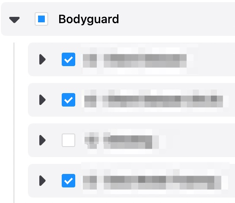
### Select a date range

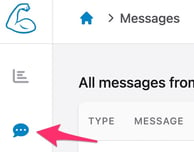
### Go to messages page
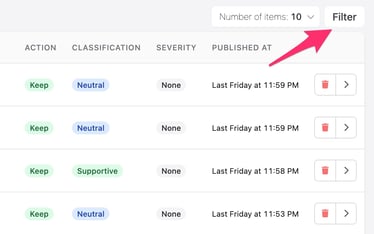
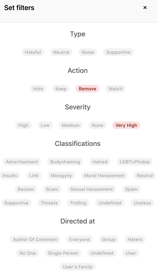
1\. Filter the messages
You can use the filter to easily detect most hateful messages.
2\. Read the message details

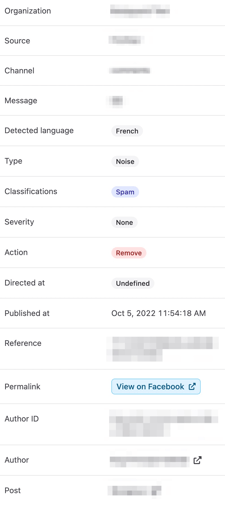
On this page, you can see different information, and be redirected to the related social media (post or author's page).
It allows you to get all comments information and identify the author.
Then, you can take several actions:
- delete the comment manually
- block the author from [the dedicated page](https://help.bodyguard.ai/knowledge/dashboard-authors?hsLang=en)
- report the comment or the author directly from the social media
- consider a filling of complaint, using the information above (screenshot of the tweet, author's name and ID).
### Alternative : Authors page
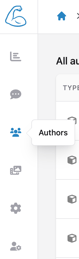
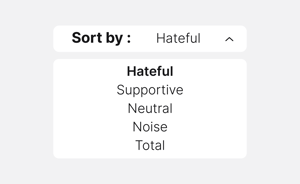
You can also use this page to easily detect the most hateful/toxic authors. You can sort them by volume of hateful messages:
****
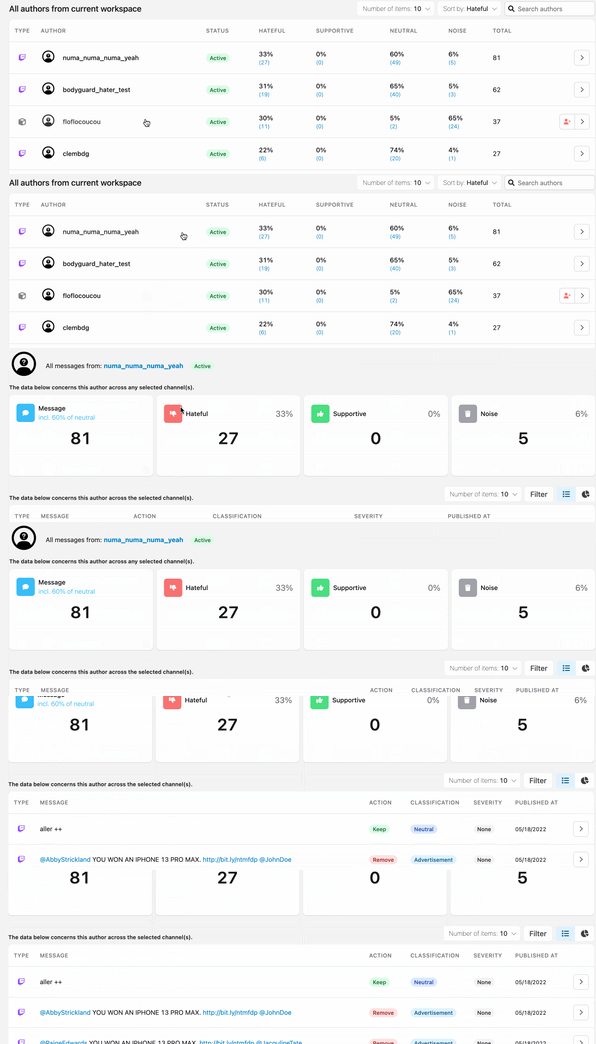
Then click on any author to see its/her comments in details. you will be able to see if comments are particularly harmful and require an action from your side.
### 
- [Connect to Bodyguard](https://help.bodyguard.ai/connect-to-bodyguard?hsLang=en#main-content)
- [Connect your social media](https://help.bodyguard.ai/connect-to-bodyguard?hsLang=en#connect-your-social-media)
- [Connect your own platform](https://help.bodyguard.ai/connect-to-bodyguard?hsLang=en#connect-your-own-platform)
- [Get started with Bodyguard](https://help.bodyguard.ai/get-started-with-bodyguard?hsLang=en#main-content)
- [Onboarding Guide: get started](https://help.bodyguard.ai/get-started-with-bodyguard?hsLang=en#onboarding-guide-get-started)
- [What is Bodyguard?](https://help.bodyguard.ai/get-started-with-bodyguard?hsLang=en#what-is-bodyguard)
- [Bodyguard Dashboard](https://help.bodyguard.ai/bodyguard-dashboard?hsLang=en)
- [Moderation by Bodyguard](https://help.bodyguard.ai/moderation-by-bodyguard?hsLang=en)
- [Advanced features](https://help.bodyguard.ai/advanced-features?hsLang=en)
- [Advanced use cases with Bodyguard](https://help.bodyguard.ai/advanced-use-cases-with-bodyguard?hsLang=en)
[](https://www.bodyguard.ai/fr)
[4-6 Chem. de l'Arénas Immeuble Unity, 06200 Nice](https://www.google.com/maps/place//data=!4m2!3m1!1s0x12cdc55b14fd6cdf:0x78a90f5bedce5d19?sa=X&ved=1t:8290&ictx=111)
[mailto:help@bodyguard.ai](mailto:help@bodyguard.ai)
Copyright © 2025, Bodyguard.ai