---
title: Dashboard - Posts
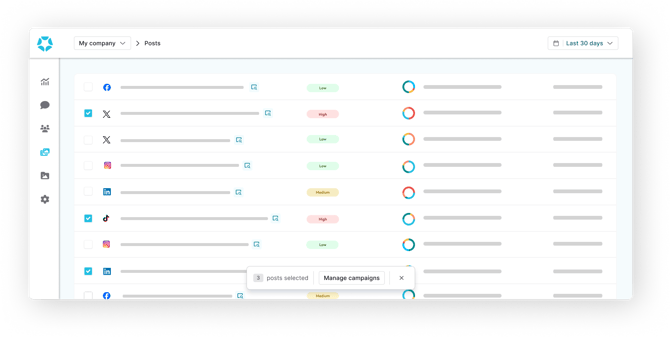
description: This section displays all the posts published by the selected workspace or source(s).
---
[Skip to content](https://help.bodyguard.ai/dashboard-posts#main-content)
- [English](https://help.bodyguard.ai/dashboard-posts)
- [Français](https://help.bodyguard.ai/fr/dashboard-posts)
English
Show submenu for translations
[](https://help.bodyguard.ai/fr/knowledge?hsLang=en)
- [Visit Bodyguard.ai](https://www.bodyguard.ai/en)
Open main navigation
Close main navigation
- [Visit Bodyguard.ai](https://www.bodyguard.ai/en)
- - [English](https://help.bodyguard.ai/dashboard-posts)
- [Français](https://help.bodyguard.ai/fr/dashboard-posts)
English
Show submenu for translations
- [Contact us](mailto:help@bodyguard.ai)
[Contact us](mailto:help@bodyguard.ai)
How can we help you?
- There are no suggestions because the search field is empty.
1. [Help Center](https://help.bodyguard.ai/?hsLang=en)
2. [Bodyguard Dashboard](https://help.bodyguard.ai/bodyguard-dashboard?hsLang=en)
# Dashboard - Posts
## This section displays all the posts published by the selected workspace or source(s).
### 
### Table of content:
- [Posts filters](https://help.bodyguard.ai/dashboard-posts#filters)
- [Post search](https://help.bodyguard.ai/dashboard-posts#search)
- [Posts details](https://help.bodyguard.ai/dashboard-posts#details)
- [Posts scoring](https://help.bodyguard.ai/dashboard-posts#score)
Reminder: the date range applies to the messages activity and not to the published date of the posts.
All data displayed in graphs/charts will count the comments received **on the selected date range**, independently of posts publication dates.
Therefore, you will always see the most recent posts first. You can also sort them by [other criteria](https://help.bodyguard.ai/dashboard-posts#sort).
### Posts filters
**Time range**
**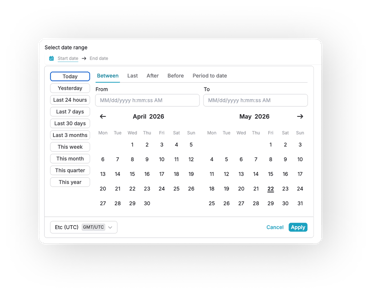**
Available on all main pages sits a date picker, allowing flexibility and precision. You can select from preset date ranges, as well as custom picks using:
- **Between:** pick two dates to retrieve posts from the start date to the end one.
- **Last:** select a volume and a temporality (hour, day, week, month...) and choose to include the current period or not.
- **After:** pick an exact date and retrieve posts from that precise time to now.
- **Before:** pick an exact date and retrieve posts until that precise time.
- **Period to date:** choose a time frame (day, week, month, quarter...) to retrieve posts on the range to now.
**Other filters**
**In this tab, it is possible to:**
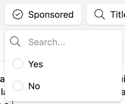
- Filter **by Sponsored** posts to display only **organic posts sponsored** (only available for Facebook)
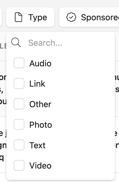
- Filter by Type (Audio, Link, Other, Photo, Text or Vidéo)
- Search for a post by **its title**
**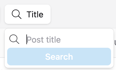**
Special characters (#, @, &, %, $ etc.) are not recognized and will not provide results.
- Select **the number of posts** to display per page (10, 50, 100)
**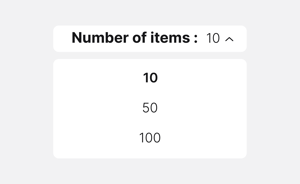**
- **Sort posts** by different criteria:
- **Latest:** the latest published posts
- Posts that generated the highest volume of **Hate speech, Hateful, Neutral, Undesirable, Criticism, Positive, Message count (Total).**
### **Post search**
**Search logic**
Our search allows you to combine keywords and phrases using logical operators to refine your results.
Only special characters covered are "@" and "#".
**Basic concepts**
- **Keywords**
Keywords are individual words matched **exactly**.
Multiple keywords are automatically combined with an **implicit AND**.
Example: `customer service` finds results containing both *customer* AND *service*.
- **Phrases**
Phrases are enclosed in double quotes (“”) and match an exact sequence of words.
Example: `“customer service”`
**Logical operators**
- **AND**
Finds results containing all specified keywords.
AND is applied **by default** between keywords.
Example: `apple AND orange` or `apple orange`
- **OR**
Finds results containing either one keyword or another.
Example: `apple OR orange`
**Grouping**
- **Parentheses**
Use `()` to control query logic.
Example: `(apple OR orange) AND banana`
- **Examples**
`coffee` → exact word match
`“black cat”` → exact phrase
`black coffee` → implicit AND
`cat OR dog` → either term
`(cat OR dog) AND nice` → combined logic
`“black cat” AND dog` → phrase + keyword
- **Error handling**
Invalid or incomplete queries return an error.
Ensure operators are placed correctly and all parentheses and quotes are closed.
Examples: `AND`, `word AND`, `)`, `cat AND (`, `”`
**Tips**
- Be specific
- Use quotes for exact phrases
- Add keywords to refine (implicit AND)
- Use OR to broaden
- Combine operators with parentheses
### **Posts details**
**Here are the main information detailed on a post:**
- **Post preview:  this button directly displays a preview of the original post to provide more context in your decision-making.**
- **Click on the chevron to see more details about the post**

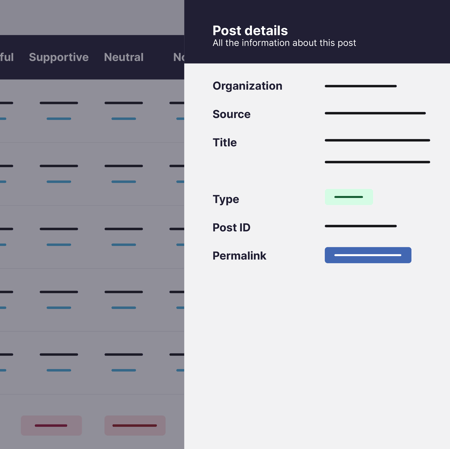
**Link to a post (Permalink):**
It is possible to access the original post on the social network or platform from the Post details side tab by clicking on the **Permalink Button.**
**By clicking on the name of a post, you will have access to all the comments and data related to this post as shown above.**
**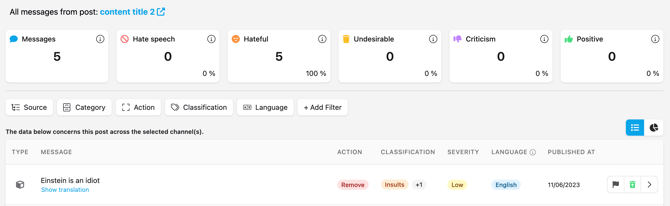**
**The post comments will be displayed, along with the automatic action taken, their classification(s), severity, language and publication date.**
You can also translate any of the messages that is not in the language of your browser, by clicking on , and to reverse with .
The translation feature is part of the **Advanced plan**. If it is not displayed, [reach out to our Customer Success team](mailto:help@bodyguard.ai) to upgrade your plan.
####  You can use these buttons to display two different views:
1. ** The statistics** are the same as in the [Analytics tab](https://help.bodyguard.ai/fr/knowledge/dashboard-analytics-1?hsLang=en) (pie chart or histogram), but only for this specific post.
2. ** The messages** are the same as in the [Messages tab](https://help.bodyguard.ai/fr/knowledge/dashboard-messages?hsLang=en) (category, action, severity), but only for this specific post. You can also filter and remove/restore the messages manually.
### Posts scoring

A new banner is now displayed on the posts page, enabling the evaluation of the risks related to posts. Based on years of data and using large language models combined with our technology, we are now able to predict a probability risk of toxic reactions through a score. To try it out, click on "score my post".
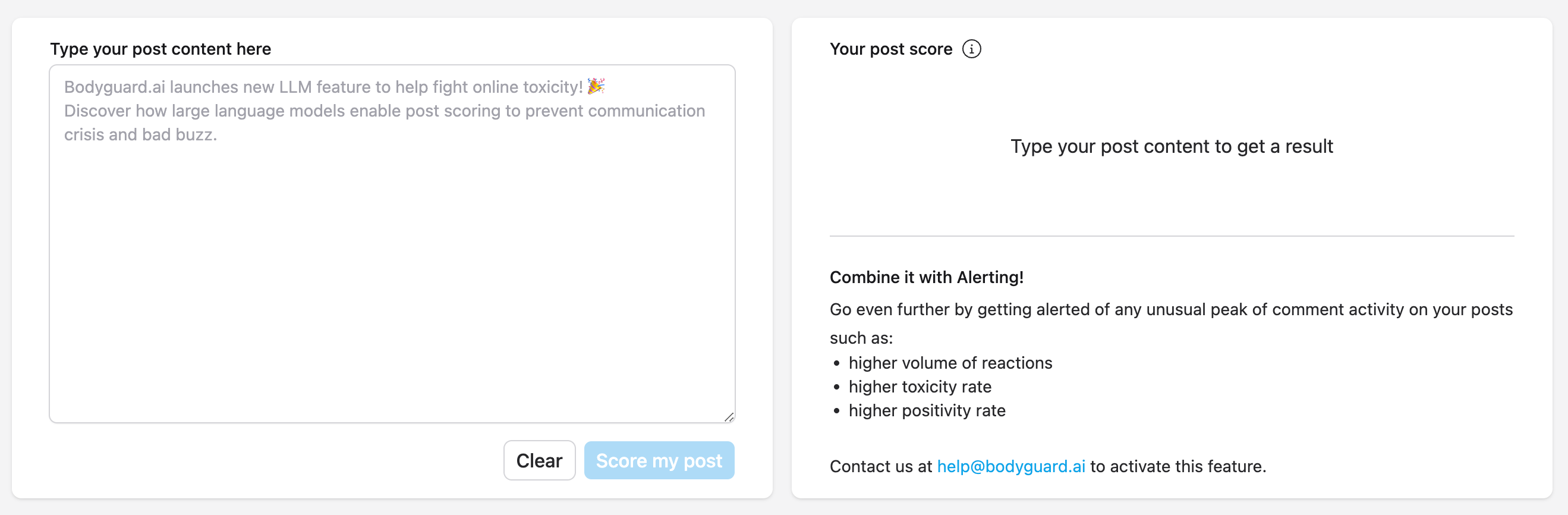
On the left, you can directly type the text you want to use on your next post (more than 20 languages are available), and click on "score my post". Loading times may differ depending on certain criteria such as the text length or its complexity.
Once the analysis is complete, you can have 3 different scoring results:
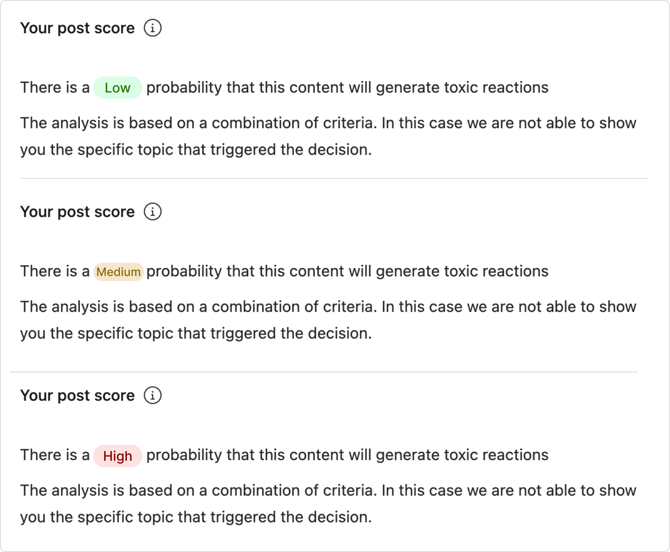
- Low: the score is between 0 and 4, this means that the analysis did not detect any word or expression that could trigger toxic reactions, based on the data we have.
- Medium: the score is between 4 and 7, meaning that some words have a medium chance of triggering toxic reactions.
- High: the score is higher than 7, meaning that this content has an important chance of triggering toxic reactions, as posts with similar wording have.
Some results come with an explanation, specifying the words that triggered the score.
- [Connect to Bodyguard](https://help.bodyguard.ai/connect-to-bodyguard?hsLang=en#main-content)
- [Connect your social media](https://help.bodyguard.ai/connect-to-bodyguard?hsLang=en#connect-your-social-media)
- [Connect your own platform](https://help.bodyguard.ai/connect-to-bodyguard?hsLang=en#connect-your-own-platform)
- [Get started with Bodyguard](https://help.bodyguard.ai/get-started-with-bodyguard?hsLang=en#main-content)
- [Onboarding Guide: get started](https://help.bodyguard.ai/get-started-with-bodyguard?hsLang=en#onboarding-guide-get-started)
- [What is Bodyguard?](https://help.bodyguard.ai/get-started-with-bodyguard?hsLang=en#what-is-bodyguard)
- [Bodyguard Dashboard](https://help.bodyguard.ai/bodyguard-dashboard?hsLang=en)
- [Moderation by Bodyguard](https://help.bodyguard.ai/moderation-by-bodyguard?hsLang=en)
- [Advanced features](https://help.bodyguard.ai/advanced-features?hsLang=en)
- [Advanced use cases with Bodyguard](https://help.bodyguard.ai/advanced-use-cases-with-bodyguard?hsLang=en)
[](https://www.bodyguard.ai/fr)
[4-6 Chem. de l'Arénas Immeuble Unity, 06200 Nice](https://www.google.com/maps/place//data=!4m2!3m1!1s0x12cdc55b14fd6cdf:0x78a90f5bedce5d19?sa=X&ved=1t:8290&ictx=111)
[mailto:help@bodyguard.ai](mailto:help@bodyguard.ai)
Copyright © 2025, Bodyguard.ai